When the Case Freezes You: A Field Kit for DFIR Paralysis
On this page
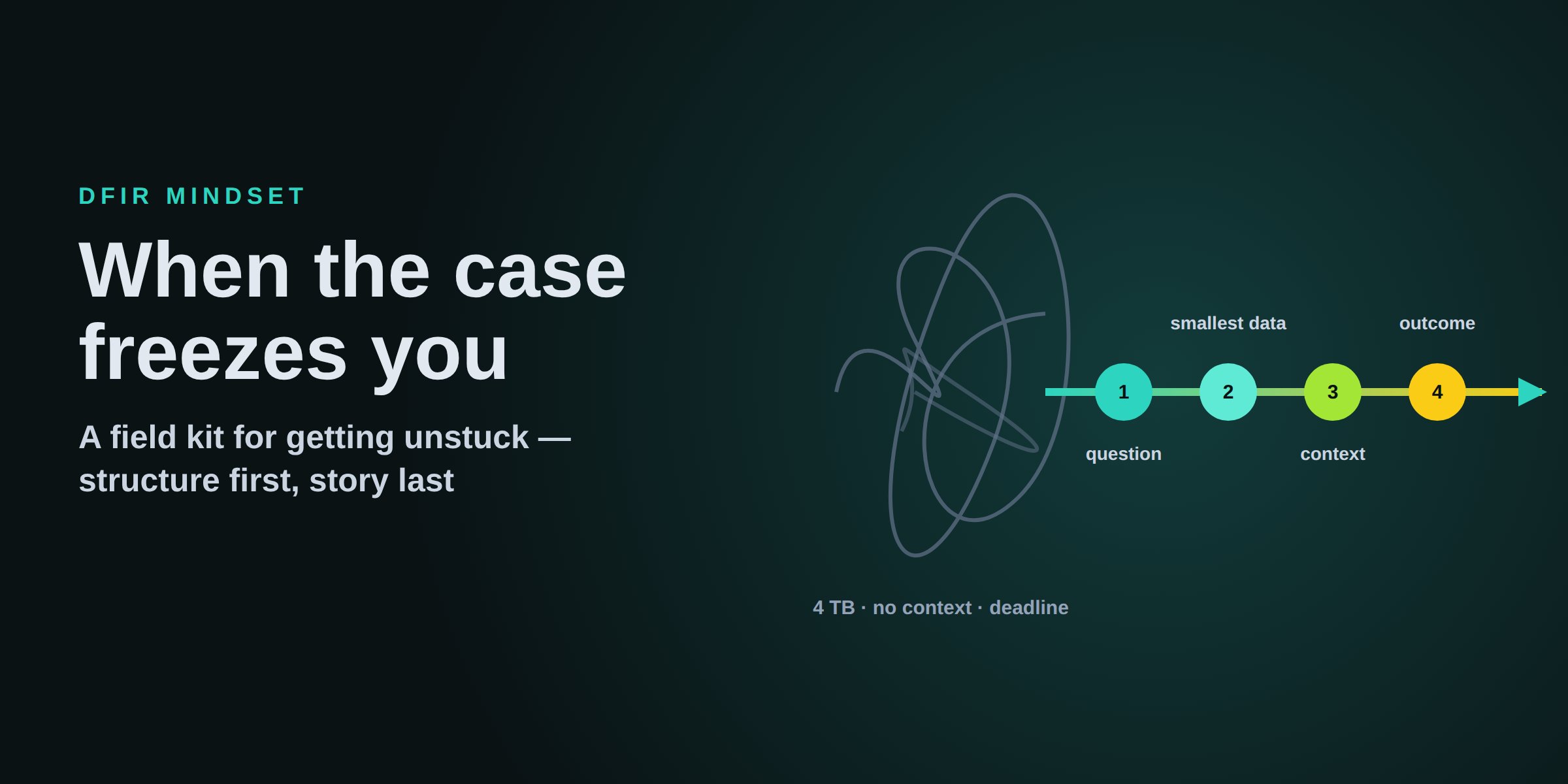
Picture it. A drive lands on your desk — four terabytes, a one-line ticket (“possible data theft, please check”), and a manager who wants an answer by Thursday. You mount the image, open your favourite tool, and… nothing. Not a technical problem. A human one. There are a million places to start and none of them looks like the right one.
Brett Shavers gave this moment a name in his article DF/IR Paralysis: What to Do When You Don’t Know What to Do, and I’ve been thinking about it ever since. His core point is simple and freeing: the freeze isn’t a sign you’re bad at this. It’s a signal to stop improvising and fall back on structure. He also makes two arguments every analyst should tattoo somewhere visible — the people receiving your work care about outcomes, not process, and an artifact without context means very little, because context is the story.
This post is my attempt to turn that mindset into a practical kit: something you can actually reach for at 4 p.m. on a Wednesday when the case has frozen you.
Three kinds of freeze
Not every freeze is the same, and the fix depends on which one you’re in. Naming it takes thirty seconds and already breaks the loop.
The volume freeze is about direction. The pressure freeze is about fear. The rabbit-hole freeze is about focus. Same symptom — you stop making progress — but three different cures.
The ten-minute unfreeze
When I notice I’m stuck, I don’t try to “push through”. I run the same short loop every time, on paper if I have to. It takes about ten minutes, and it works precisely because it’s boring:
① Write the question. One sentence you could answer yes or no. Not “investigate the laptop”, but “Did the user copy files from the finance share to a USB device between 1 and 15 August?” If you can’t write it, your next action isn’t opening a tool. It’s calling the person who asked.
② Decide what would prove it — and what would disprove it. If they copied files to USB, I’d expect a new USB device in the registry, LNK files or jump lists pointing at removable volumes, shellbags, maybe file system timestamps on the share. If they didn’t, I’d expect none of that, or devices that predate the window. Writing the “disprove” column is what keeps you honest.
③ Pick the smallest dataset that can answer it. Not the whole image. A targeted collection of the artifacts from step ②, from one host, for one time window. Everything else waits.
④ Timebox it. Set an actual timer. When it rings, you stop and re-read the question, even if you feel close. Rabbit holes feel productive from the inside.
⑤ Keep three lists. Known (with the source of each fact), assumed (needs proof), and unknown (and whether it even matters). Anxiety lives in the gap between what you know and what you’re assuming without realising it. Writing it down closes the gap.
Shrink the haystack
Step ③ is where tools help, as long as they serve the question instead of replacing it. A few examples of “smallest dataset” in practice:
Collect only what the question needs, instead of imaging everything first (KAPE):
# Targeted triage collection - registry hives, event logs, LNK/jump lists, browser data, etc.
kape.exe --tsource C: --tdest E:\case042\triage --target KapeTriage --vhdx case042
Turn hundreds of event logs into one timeline you can actually read (Hayabusa):
hayabusa.exe csv-timeline -d E:\case042\triage\C\Windows\System32\winevt\Logs -o E:\case042\evtx-timeline.csv
Ask the event log one precise question — for example, “who logged on over RDP during the incident window?”:
# 4624 = successful logon; LogonType 10 = RemoteInteractive (RDP)
Get-WinEvent -Path .\Security.evtx -FilterXPath "*[System[(EventID=4624)]]" |
    Where-Object { $_.TimeCreated -ge '2025-08-01' -and $_.TimeCreated -lt '2025-08-16' } |
    Where-Object { $_.Properties[8].Value -eq 10 } |
    Select-Object TimeCreated,
        @{n='User';  e={ "$($_.Properties[6].Value)\$($_.Properties[5].Value)" }},
        @{n='Source';e={ $_.Properties[18].Value }}
Why this helps: each of these turns “4 TB of maybe” into a few hundred rows that relate to your question. Small, relevant data is easier to reason about, and easier to explain later.
Context is the story
This is the part of Shavers’ article I keep coming back to. An artifact on its own is a fact without a meaning. A Prefetch file tells you a program with that name ran; it doesn’t tell you who ran it, why, or whether it was the malicious copy or the legitimate one. Meaning appears only when artifacts line up with each other — and with the human world outside the computer.
I think of it as a ladder. Every rung up makes a finding more defensible:
Here is what that looks like for a single question — “Did this user run the tool we found?” — on a Windows 10/11 endpoint:
| Artifact | What it gives you | What it does not give you |
|---|---|---|
Prefetch (C:\Windows\Prefetch) |
A program with that name/path ran, run count, up to 8 recent run times | Who ran it. Also disabled by default on Windows Server |
| Amcache.hve | File path, SHA-1, first-seen information | Proof of execution on its own, on modern Windows |
| ShimCache (AppCompatCache) | The file existed and was seen by the system | Execution on Windows 10+, or a reliable time of running |
| UserAssist (in the user’s NTUSER.DAT) | GUI launches by that user, with counts and last run | Command-line executions |
| Security 4688 / Sysmon 1 / EDR | Process creation with parent, user and often command line | Anything if auditing or the sensor wasn’t enabled |
| SRUM | Per-app, per-user resource and network usage, roughly hourly | Exact timestamps |
| $MFT / $UsnJrnl | When the file arrived, was renamed or deleted | Whether it ran |
Notice how every row has a blind spot that another row covers. That’s the point. One artifact is a rumour; three independent ones agreeing is a finding. And when the digital story contradicts the physical one — the logs say the user was at the keyboard, the badge system says they were on a plane — that contradiction is the most important finding in the case.
Easy trap: don’t let a strong artifact stop the investigation. A clean Prefetch hit feels like an answer, and that feeling is exactly when to ask “what else would have to be true?”
Say it in outcomes
The second idea from Shavers that changed how I write: decision-makers want to know what you found, whether you can stand behind it, and what it changes. They don’t need the tool list, the hours spent, or the obstacles you beat.
The same finding, written two ways:
| Process-first (what we usually write) | Outcome-first (what they need) |
|---|---|
| “Using KAPE, we collected triage data and parsed it with Registry Explorer and EvtxECmd. After reviewing 1.2M events and several registry hives, we identified a USB device…” | “A personal USB drive was connected to the user’s laptop on 7 August at 18:42 UTC. Within six minutes, 214 files from the finance share were opened from that drive’s folder path. This supports the data-theft allegation. It does not show the files left the building — that needs the badge and DLP records.” |
| “Further analysis may be required.” | “Confidence: high for the USB connection and file access; unknown for exfiltration beyond the device.” |
The process still matters — it belongs in the appendix, where another examiner can reproduce your work. But the first paragraph is for the person who has to make a decision tomorrow morning.
A template I now use for every finding:
FINDING   : <what happened, in one sentence, with time in UTC>
EVIDENCE  : <2-3 independent artifacts, with source and path>
MEANING   : <what it shows>
LIMITS    : <what it does NOT show, and what would be needed to show it>
CONFIDENCE: high / medium / low - and why
Under the spotlight
The pressure freeze is the hardest, because it happens in front of people: an executive briefing, a heated incident call, or a lawyer asking about a report you wrote long ago. A few habits that make it survivable:
- Write today for the version of you who’ll be cross-examined in two years. Notes with timestamps, the exact question you were answering, and the reasoning behind every conclusion. Your memory won’t be there; your notes will.
- “I don’t know” is a complete answer. Followed by “here’s what would tell us”. Guessing under pressure is how good analysts lose credibility.
- Restate the question before answering it. It buys you a few seconds and catches misunderstandings — half of hard questions are really two questions glued together.
- Separate facts from interpretations out loud. “The log shows X. My interpretation is Y, because Z.” Nobody can push you off a fact you haven’t stretched.
- Go back to the structure. Question, evidence, meaning, limits. It’s the same skeleton whether you’re writing, briefing or testifying.
Build the reflex before you need it
Structure only helps under stress if it’s automatic, and nothing becomes automatic by reading about it. Some low-cost ways to practise:
| Drill | How | Builds |
|---|---|---|
| Question first | Before opening any new case or alert, write the one-sentence question. Every time, even when it feels obvious | Direction |
| Disprove it | For every finding, write one thing that would prove it wrong, then go look for it | Honesty |
| Explain it to a non-analyst | Brief a colleague from finance or HR in two minutes, no jargon | Outcomes |
| Rabbit-hole timer | 45-minute timer on any deep dive; when it rings, write what you learned and whether it moved the question | Focus |
| Read your old reports | Pick one from a year ago. Could you defend every sentence today? | Defensibility |
| Public practice images | Work through public DFIR challenges with the loop above, not just the tools | All of it |
Take the card with you
I condensed everything above into a one-page card: name the freeze, write the question, prove/disprove, smallest dataset, timebox, three lists, outcome sentence. Print it, keep it next to your screen, and use it the next time a case stares back at you.
⬇ Download the Unfreeze Card (Markdown)
Freezing is normal; staying frozen is optional
Every responder freezes eventually. The difference between the analysts I admire and everyone else isn’t that they never get stuck — it’s that they have a way back. A question you can write down, a dataset small enough to reason about, artifacts that corroborate each other, a story that fits the human world, and a finding stated as an outcome you can defend. That’s not a script that replaces thinking. It’s what lets you keep thinking when the pressure is on.
Credit where it’s due: this whole post grew out of Brett Shavers’ DF/IR Paralysis article. If the mindset side of DFIR interests you, his book DFIR Investigative Mindset goes much deeper than any checklist can.