Building a REST API with Django REST Framework in 10 Steps
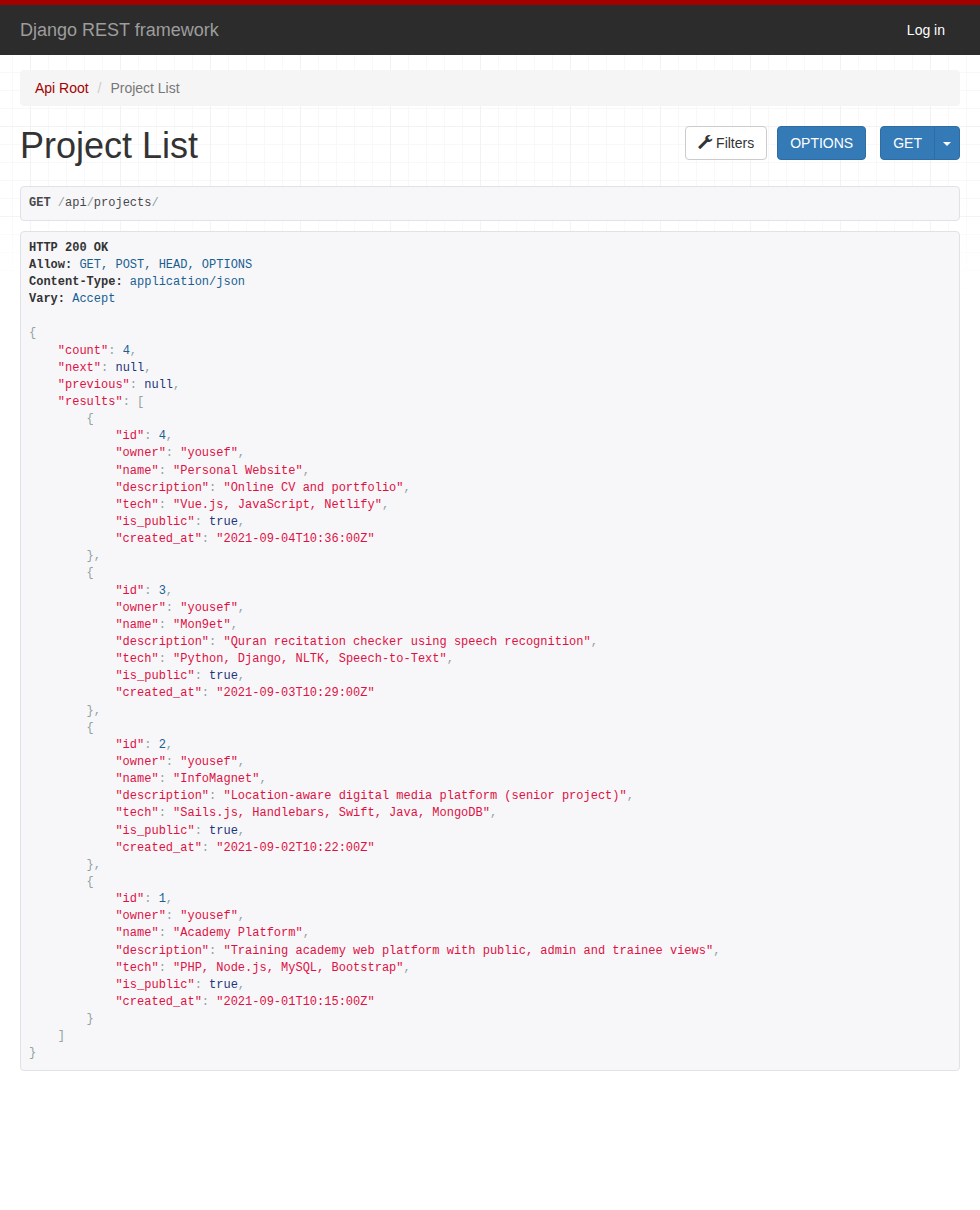
Django sits behind several of my projects, including Mon9et, the Quran recitation checker my team built. The moment a Vue frontend or a mobile app needs data, Django turns into an API server — and Django REST Framework (DRF) makes that surprisingly painless.
The screenshot above is where we end up: DRF’s browsable API, filled with a few of my own projects. Getting there takes ten steps, from models to owner-only permissions, search, pagination and tests.
How a request flows through DRF
Before we start, here is the path every request takes. We will build each of these boxes:
Step 1 — Create a virtual environment
python -m venv venv && source venv/bin/activate
pip install django djangorestframework django-filter
pip freeze > requirements.txt
Step 2 — Create the project and the app
django-admin startproject core .
python manage.py startapp projects
Then add the apps to core/settings.py:
INSTALLED_APPS += ["rest_framework", "django_filters", "projects"]
Step 3 — The model
# projects/models.py
from django.conf import settings
from django.db import models

class Project(models.Model):
    owner       = models.ForeignKey(settings.AUTH_USER_MODEL, on_delete=models.CASCADE, related_name="projects")
    name        = models.CharField(max_length=120)
    description = models.TextField(blank=True)
    tech        = models.CharField(max_length=200, help_text="comma-separated")
    is_public   = models.BooleanField(default=True)
    created_at  = models.DateTimeField(auto_now_add=True)

    class Meta:
        ordering = ["-created_at"]

    def __str__(self):
        return self.name
Step 4 — Create the database tables
python manage.py makemigrations
python manage.py migrate
python manage.py createsuperuser
Step 5 — The serializer
The serializer converts model objects to JSON and back, and it is also where validation lives:
# projects/serializers.py
from rest_framework import serializers
from .models import Project

class ProjectSerializer(serializers.ModelSerializer):
    owner = serializers.ReadOnlyField(source="owner.username")   # never trust the client for this

    class Meta:
        model  = Project
        fields = ["id", "owner", "name", "description", "tech", "is_public", "created_at"]

    def validate_name(self, value):
        if len(value.strip()) < 3:
            raise serializers.ValidationError("Name must be at least 3 characters.")
        return value.strip()
Step 6 — A permission class
Everyone can read projects, but only the owner can change or delete one:
# projects/permissions.py
from rest_framework import permissions

class IsOwnerOrReadOnly(permissions.BasePermission):
    def has_object_permission(self, request, view, obj):
        if request.method in permissions.SAFE_METHODS:      # GET, HEAD, OPTIONS
            return True
        return obj.owner == request.user
Step 7 — The ViewSet
This is where DRF really saves time — the full create, read, update and delete logic in about 10 lines:
# projects/views.py
from rest_framework import viewsets, permissions
from .models import Project
from .serializers import ProjectSerializer
from .permissions import IsOwnerOrReadOnly

class ProjectViewSet(viewsets.ModelViewSet):
    serializer_class   = ProjectSerializer
    permission_classes = [permissions.IsAuthenticatedOrReadOnly, IsOwnerOrReadOnly]
    filterset_fields   = ["is_public", "owner__username"]
    search_fields      = ["name", "description", "tech"]
    ordering_fields    = ["created_at", "name"]

    def get_queryset(self):
        return Project.objects.select_related("owner")      # avoids an extra query per project

    def perform_create(self, serializer):
        serializer.save(owner=self.request.user)
Step 8 — Routes
# core/urls.py
from django.contrib import admin
from django.urls import include, path
from rest_framework.routers import DefaultRouter
from projects.views import ProjectViewSet

router = DefaultRouter()
router.register(r"projects", ProjectViewSet, basename="project")

urlpatterns = [
    path("admin/", admin.site.urls),
    path("api/", include(router.urls)),
    path("api-auth/", include("rest_framework.urls")),
]
Now run python manage.py runserver 8765 and open http://127.0.0.1:8765/api/ in the browser. The API root appears, with a link to the new endpoint:
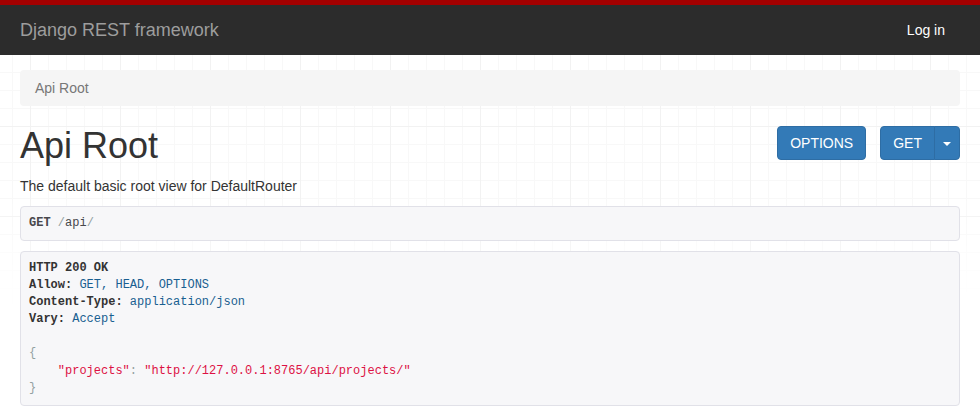
That one register call created all of these endpoints:
| Method | URL | Action |
|---|---|---|
| GET | /api/projects/ |
List (paginated, filterable) |
| POST | /api/projects/ |
Create |
| GET | /api/projects/{id}/ |
Retrieve |
| PUT / PATCH | /api/projects/{id}/ |
Update |
| DELETE | /api/projects/{id}/ |
Delete |
Step 9 — Pagination, search, authentication and throttling
The defaults for the whole API go in core/settings.py:
REST_FRAMEWORK = {
    "DEFAULT_PAGINATION_CLASS": "rest_framework.pagination.PageNumberPagination",
    "PAGE_SIZE": 20,
    "DEFAULT_FILTER_BACKENDS": [
        "django_filters.rest_framework.DjangoFilterBackend",
        "rest_framework.filters.SearchFilter",
        "rest_framework.filters.OrderingFilter",
    ],
    "DEFAULT_AUTHENTICATION_CLASSES": [
        "rest_framework.authentication.SessionAuthentication",
        "rest_framework.authentication.TokenAuthentication",
    ],
    "DEFAULT_THROTTLE_CLASSES": ["rest_framework.throttling.AnonRateThrottle",
                                 "rest_framework.throttling.UserRateThrottle"],
    "DEFAULT_THROTTLE_RATES": {"anon": "60/min", "user": "600/min"},
}
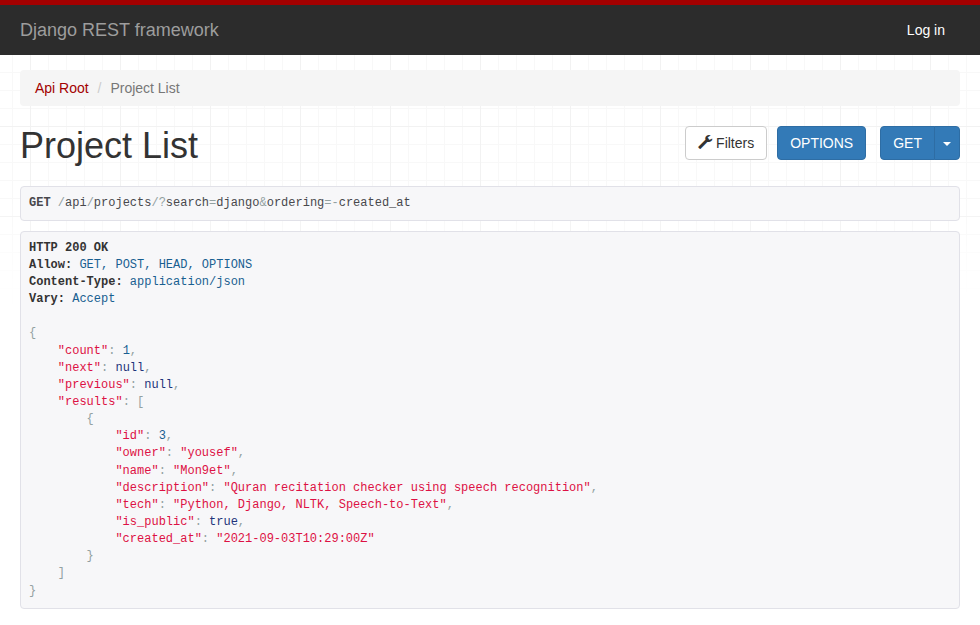
Now search and ordering work with query parameters. For example /api/projects/?search=django&ordering=-created_at finds only the Django project:
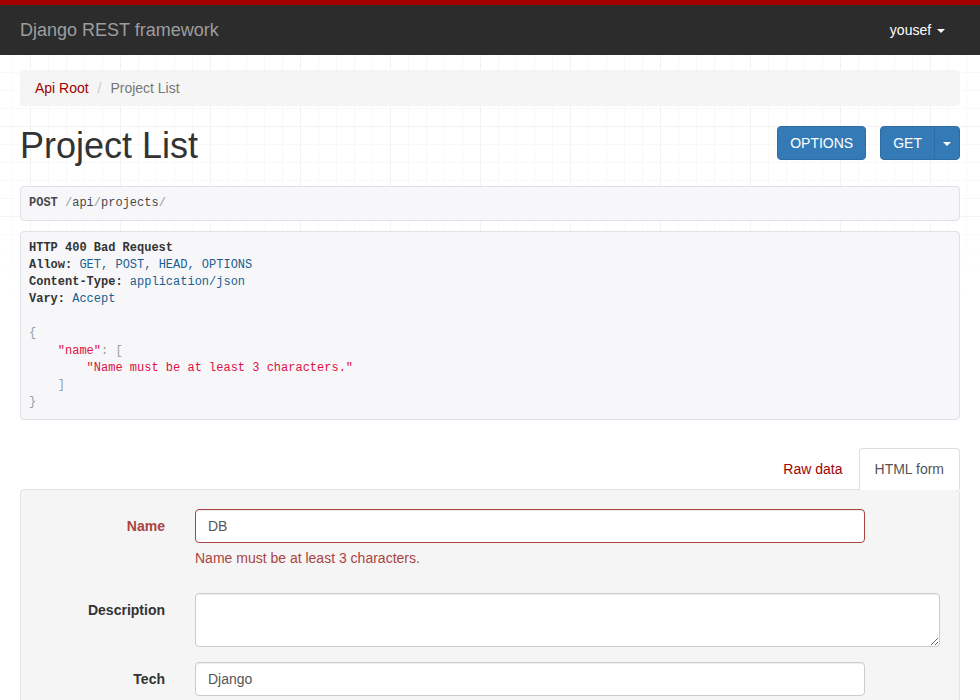
Once you log in (top right corner), a form appears at the bottom of the page. If I try to create a project with a name that is too short, the validation from step 5 returns a 400 Bad Request with a clear message:
Step 10 — Test it
The two most important behaviours are that the owner comes from the logged-in user (not from the request body), and that nobody can delete someone else’s project:
# projects/tests.py
from django.contrib.auth.models import User
from rest_framework.test import APITestCase

class ProjectAPITests(APITestCase):
    def setUp(self):
        self.alice = User.objects.create_user("alice", password="pw")
        self.bob   = User.objects.create_user("bob", password="pw")

    def test_owner_is_set_from_request_not_payload(self):
        self.client.force_authenticate(self.alice)
        r = self.client.post("/api/projects/", {"name": "Portfolio", "tech": "Vue", "owner": "bob"})
        self.assertEqual(r.status_code, 201)
        self.assertEqual(r.data["owner"], "alice")

    def test_non_owner_cannot_delete(self):
        self.client.force_authenticate(self.alice)
        pid = self.client.post("/api/projects/", {"name": "Mine", "tech": "Django"}).data["id"]
        self.client.force_authenticate(self.bob)
        self.assertEqual(self.client.delete(f"/api/projects/{pid}/").status_code, 403)
$ python manage.py test
Creating test database for alias 'default'...
..
----------------------------------------------------------------------
Ran 2 tests in 2.660s

OK
Before production: Before going to production: set
DEBUG = False, readSECRET_KEYand database credentials from environment variables, setALLOWED_HOSTS, runpython manage.py check --deployand fix every warning, serve the app with gunicorn behind a reverse proxy, and use PostgreSQL instead of SQLite. If you host on Azure, my App Service article shows how to deploy it.
Ten steps later
A model, a serializer, a permission class and a ViewSet give you a full REST API with validation and owner-based permissions; a few settings add pagination, search, authentication and throttling. And the browsable API is a gift — every endpoint testable in the browser, no extra tools. The DRF documentation is excellent when you need more.