One Portal to Rule Them All? Sentinel Meets Defender XDR
On this page
For years, working a Microsoft SOC meant living in two browser tabs. Defender XDR (security.microsoft.com) for endpoint, identity, email and cloud-app alerts; Azure Sentinel (in the Azure portal) for the SIEM — your custom logs, your analytics rules, your long-term hunting. Same incident, two windows, two query experiences, and a lot of alt-tabbing to stitch a story together. Microsoft has now merged the two into a single unified portal at security.microsoft.com, and a sharp walkthrough by Junaid Mumtaz got me thinking about what it actually means for the people doing the work.
The short version: it’s less a new product than the removal of a seam that never should have been there. But seams have a way of hiding assumptions, so it’s worth looking at what moves, what doesn’t, and what to check before you flip the switch.
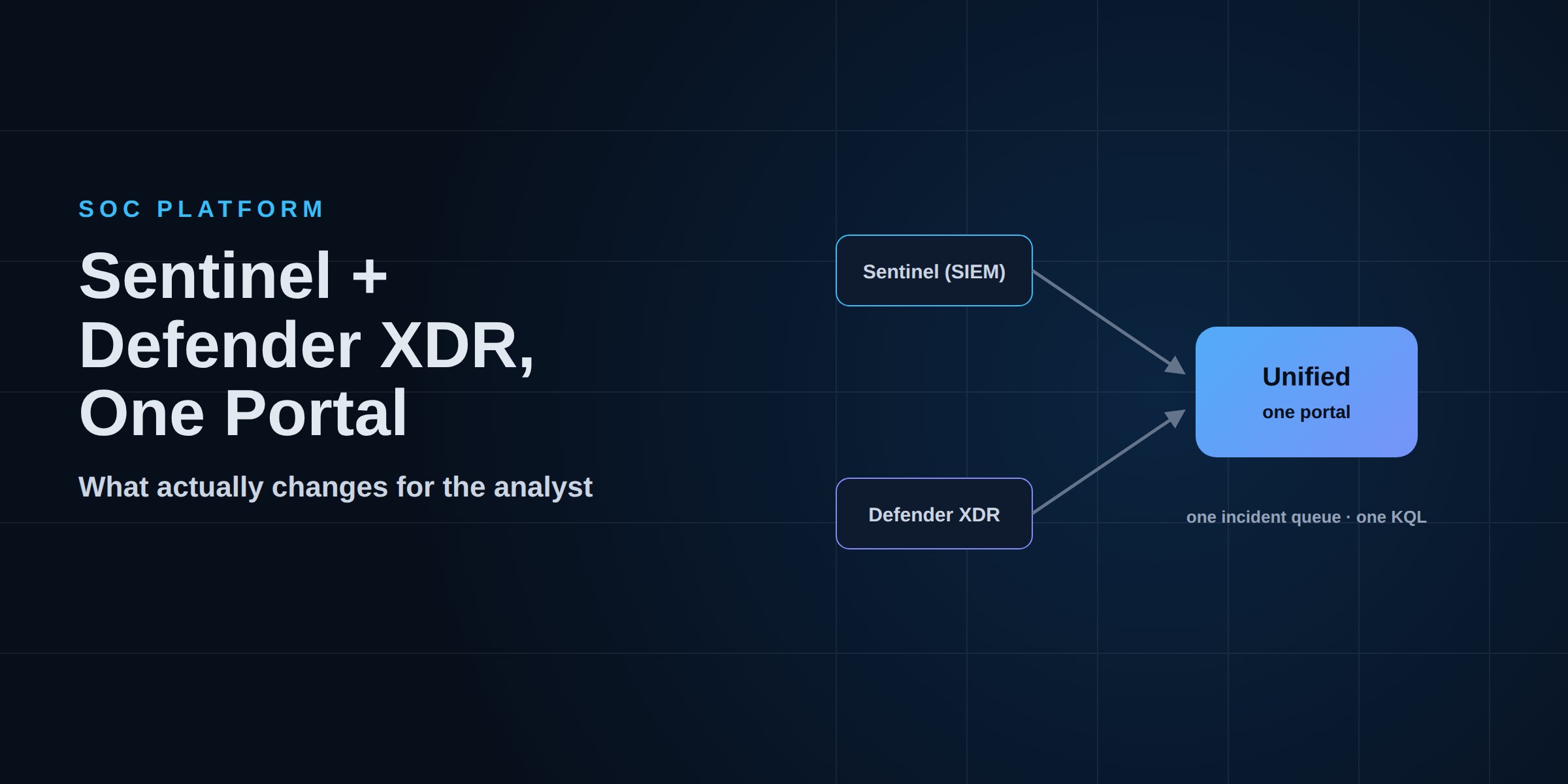
The before and after, in one picture
The change is structural. Instead of two consoles each owning part of an incident, one console owns the whole thing and Sentinel becomes a workspace inside it.
What actually changes for the analyst
Four things genuinely improve the day-to-day. The rest is mostly the same engine with the walls knocked down.
1. One incident queue. This is the headline. Previously a phishing case might raise a Defender email alert and a Sentinel analytics-rule alert from your firewall logs, and you’d manually realise they were the same event. In the unified portal, correlation happens across both worlds, so a single incident can carry XDR alerts and Sentinel alerts together, with one combined entity graph. Less swivel-chair, fewer “wait, is this the same thing?” moments.
2. One hunting bar over both data sets. Advanced Hunting now queries Defender’s schema (DeviceProcessEvents, EmailEvents, IdentityLogonEvents…) and your Sentinel/Log Analytics custom tables from the same KQL prompt. A hunt that used to mean running one query in Defender, exporting, and re-running something similar in Sentinel becomes a single join:
// One query spanning Defender XDR tables and a custom Sentinel table
DeviceProcessEvents
| where Timestamp > ago(24h)
| where FileName =~ "powershell.exe" and ProcessCommandLine has_any ("-enc", "downloadstring")
| join kind=inner (
    FirewallLogs_CL                       // a custom table that lives in Sentinel
    | where TimeGenerated > ago(24h)
) on $left.DeviceName == $right.HostName_s
| project Timestamp, DeviceName, ProcessCommandLine, DestinationIP_s
3. Security Copilot in the console. The natural-language assistant sits in the same portal — summarise an incident, explain a script, draft a KQL query, generate a hunting lead. Microsoft cites meaningful speed-ups for analysts using it; treat the exact numbers as vendor figures, but the direction (faster triage on routine incidents) matches what people report. Just remember that an assistant which reads attacker-influenced content (alerts, emails, logs) is itself part of the attack surface — prompt injection is a real concern the moment you let a model act on untrusted input.
4. One place to learn. For a junior analyst, “where do I go?” finally has one answer. That alone lowers the onboarding cliff that a two-portal SOC quietly imposed.
What doesn’t change (and why that’s fine)
Under the hood, it’s the same machinery:
- Sentinel is still Sentinel. Your Log Analytics workspace, your data connectors, your analytics rules, your retention and your cost model are unchanged. The portal is a new front door, not a new house.
- KQL is still KQL. Nothing to relearn — if anything, you now use it in more places.
- Billing is the same. Ingestion and retention still bill against the Log Analytics workspace. Merging the portal doesn’t merge the invoice, and it won’t magically reduce your SIEM spend (for that, see the real levers: table tiering, DCR filtering, archive).
Before you onboard: the checklist
It’s a smooth switch, but it’s still a change to your primary investigation surface. Walk in with eyes open.
A few specifics worth calling out:
- Prerequisites. You need a Sentinel workspace and at least one onboarded Defender XDR workload to get the unified experience.
- Primary workspace. Multi-workspace environments behave differently from single-workspace ones; know which workspace is primary and how cross-workspace queries resolve in the new view — the same cross-workspace design thinking you apply to any multi-workspace Sentinel deployment.
- RBAC. Permissions carry over, but the surfaces people reach change. Verify that the right people see the right incidents and nobody accidentally gained or lost visibility.
- Don’t break your automation. Playbooks, Logic Apps and API callers that assumed the old portal or incident shape should be regression-tested, exactly like any other change to a production system.
So — game-changer, or marketing?
Honestly, somewhere sensible in between. It is not a new detection engine and it will not improve your coverage on its own — your analytics rules, your log sources and your tuning still decide whether you catch anything (which is exactly why you still have to validate your detections against real techniques, not assume the portal does it for you). What it does remove is friction: one queue, one hunting language over everything, one assistant, one place to train people. For a Microsoft-centric SOC, less context-switching is a real, compounding win — analysts are faster and make fewer correlation mistakes when the whole story lives in one view.
My take: onboard it, but treat it as an operational change, not a free upgrade. Pilot it with a couple of analysts, work the checklist above, and keep measuring the thing that actually matters — time to detect and time to respond — rather than the number of portals.
Credit to Junaid Mumtaz’s walkthrough for prompting this one. For the official details and onboarding steps, Microsoft’s unified security operations platform documentation is the place to start.